Photo Recover - Easy Restore
- 3.8
- Rating
- 100.00K
- Installs
- Free
- Price

 Analysis by App-foxy
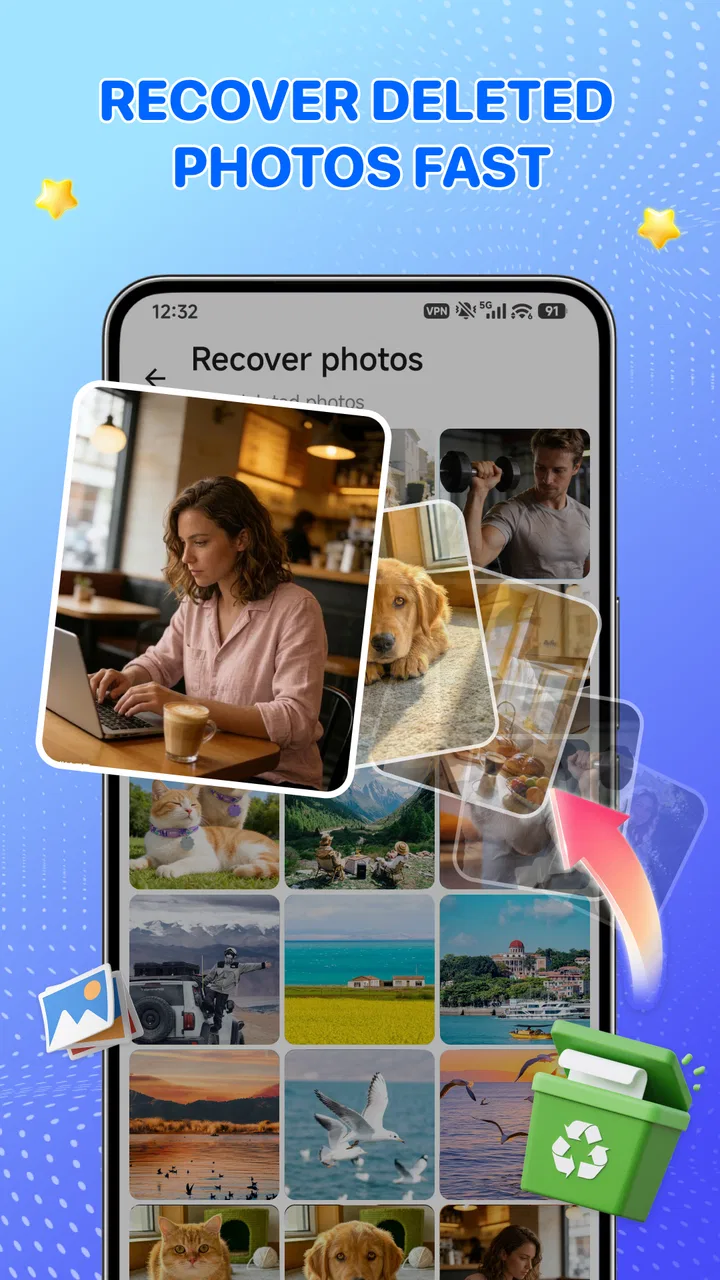
When a photo disappears from a phone, the first reaction is usually panic rather than careful troubleshooting. Photo Recover - Easy Restore is built for that moment: it is a free tools app from Lazy Project that focuses on finding deleted photos and videos through local processing. I found its appeal easy to understand because it aims at a very specific problem instead of trying to become a complete gallery, cloud drive, or file manager.
The app has a 3.8 average from around 350 ratings and has passed 100 thousand installs, so it is not an obscure experiment with no audience at all. It is also rated for Everyone, which makes the basic purpose approachable for a wide range of users. The current release is version 1.1, and it runs on Android 8.0 or later. Those details matter because recovery tools are often installed in a hurry, and compatibility can decide whether the app is useful before anything else does.
What Photo Recover actually offers
In practical terms, this is a recovery-focused utility rather than a general photo organizer. Its job is to help you look for deleted images and videos, then restore the items that are still discoverable. The most important part of that description is “still discoverable.” Deleting a file does not guarantee that every recovery application can bring it back, especially after the phone has continued saving new data.
You May Also Like

 Blood Strike: 2.5 Anniversary
Blood Strike’s Loadouts Turn Every Drop Into a Tactical Gamble
A close look at Blood Strike’s custom loadouts: how fast access to signature weapons reshapes its battle royale rhythm, rewards preparation, and narrows the gap between fights.

 Pandora - Music & Podcasts
Pandora’s Music Is Easy to Start, but Harder to Recover
Pandora’s strength is its low-effort path from a seed to a station. Its weak spot is how much confidence it asks you to place in connection, setup, and quiet recovery.

 8 Ball Pool
 Is Built on Rivalries, Rematches, and Routine
A close look at the rivalries, rematches, shared routines, and unanswered safety questions that turn a quick pool match into a persistent mobile community.

 Samsung Music
’s Quiet Strength Is Playing What You Already Own
Its reach comes less from spectacle than from dependable access to a personal library. That simplicity is both the app’s strongest retention engine and its ceiling.

 AccuWeather: Weather Radar
AccuWeather Review: A Quick, Clear Forecast for Everyday Decisions
For everyday plans, the best forecast is the one you can understand quickly. AccuWeather makes rain timing, radar, and local conditions easy to act on, with a few trade-offs.

 Hill Climb Racing
Why Hill Climb Racing Still Turns Crashes Into One More Run
A tiny car, a bumpy hill and one more upgrade: Hill Climb Racing keeps resurfacing because its simple chaos makes every near-miss feel personal.
More From Our News Desk



I would therefore treat it as a first-response tool. If you accidentally remove a recent picture, installing a focused recovery app quickly makes more sense than spending time browsing unrelated utilities. The app’s local-processing approach is also relevant here: the recovery work is presented as happening on the device, which is a more comfortable arrangement for personal images than sending them through an online service.
That privacy angle is useful, but I would not confuse local processing with a guarantee of perfect privacy in every part of the experience. A careful user should still read the permission prompts and check where restored files are saved before granting access. The practical benefit is that the central task does not need to depend on uploading a family photo, a scanned document, or a private video to a remote recovery service.
A sensible first attempt after accidental deletion
My recommended workflow is simple. Stop taking new photos and recording videos as soon as you notice the mistake. Avoid downloading large files, installing several recovery apps one after another, or repeatedly moving media around. Then open Photo Recover, allow only the access needed for its search, and inspect what it finds before attempting a large restore.
This order is more important than it may seem. New data can occupy storage space that once belonged to a deleted file. No recovery app can promise that an old file will remain intact if the phone has already reused the same space. Using one focused tool early gives you a cleaner chance than treating recovery as a casual search after hours of normal phone use.
Another practical tip is to restore only the items you recognize. A recovery scan may surface duplicates, thumbnails, partial files, or images with confusing names. Restoring everything at once can make the gallery harder to manage and may leave you wondering which version is the usable original. I prefer selecting a small group, checking the results, and then continuing with the rest.
Where the free price changes the decision
The app is free, so the initial trial does not require a purchase decision. That gives Photo Recover a clear advantage over a recovery service that asks for payment before you can determine whether your deleted media is even visible. For a one-time accident, free access makes it reasonable to try the app before considering more involved alternatives.
Free does not automatically mean unlimited value, though. The real value depends on whether the scan can locate the particular files you need and whether the restored copies are usable. A free application that finds nothing is not more useful than a paid one that succeeds, while a free tool that recovers an important family video can be extremely worthwhile. I judge this app by that practical outcome rather than by the absence of a price tag.
There is no need to frame it as a bargain in the usual shopping sense. You are not buying a long-term subscription or comparing tiers here; you are deciding whether a no-cost recovery attempt is worth making. For that narrow situation, the price is one of the strongest reasons to keep it available. I would install it before paying for a more elaborate solution, provided the deleted material is not so critical that delay would be risky.
What local recovery means for personal media
Local processing is one of the app’s more meaningful qualities because photos and videos often contain more private information than ordinary documents. A recovery workflow that stays on the phone can feel less exposed than uploading media to a website and waiting for a server to analyze it. That is especially relevant when the missing file shows children, identification documents, medical information, or a private conversation.
Still, privacy-conscious use requires a little discipline. Do not grant broad access without reading the request, and do not assume that a restored file is automatically protected after recovery. Once the image returns, it may appear in a standard media folder or another location that other gallery and backup tools can index. If the file is sensitive, review its destination and remove temporary copies you do not need.
This is also where the app differs from asking a friend to send a copy or checking a cloud album. Those options may be better if the image was already backed up, because they can provide the original without a recovery scan. Photo Recover is most useful when the normal copy is genuinely gone from the places you usually check.
Tradeoffs compared with the usual alternatives
The first alternative is the phone’s own trash or recently deleted area. That should usually be checked before any recovery utility because it may preserve an intact copy with less searching. If the photo is still there, restoring it through the built-in gallery is generally clearer and less disruptive. Photo Recover becomes more relevant when the item has also been removed from that area or when the phone’s normal gallery does not offer a usable route back.
The second alternative is a cloud backup. Google Photos, an iCloud-style backup workflow on compatible devices, or another storage service may provide a cleaner original than a local scan. The drawback is that the backup must have existed before deletion, and the user must remember which account or service held it. Photo Recover has value precisely when that backup trail is missing, incomplete, or difficult to search.
The third alternative is a desktop recovery program or a specialist service. Those options may be more appropriate for a large, irreplaceable collection or a storage failure, but they usually demand more time, equipment, technical confidence, or money. A phone-based free app is easier to try, but it should not be mistaken for professional data recovery. If the phone has physical storage damage or will not start, this app is not the right tool.
There is also a tradeoff between speed and certainty. A quick scan is convenient when you need one recently deleted picture, while a more serious recovery process may require deeper analysis and careful handling. Photo Recover’s strength is accessibility: it puts a focused attempt within reach of ordinary Android users. Its limitation is that accessibility alone cannot overcome overwritten data, damaged storage, or a file that was never actually stored on the device.
Everyday situations where it earns its place
Imagine taking pictures at a child’s school event, selecting several blurry shots later, and accidentally deleting the entire group instead of one image. The best response is to stop using the phone for photography, open the recovery app, and look for the event images before new recordings replace parts of the deleted data. If the app presents recognizable results, restore the important pictures first and copy them to a safer location afterward.
Another realistic case is a video removed while clearing storage before a trip. In that situation, the user may not have a backup because the file was recorded recently and the cleanup happened quickly. A free local tool is a sensible first attempt, but I would avoid filming more travel footage until the recovery attempt is complete. The phone’s available storage and continued use can affect the chances more than the app’s name or interface.
It can also help when a media file vanished after a gallery cleanup and the user is unsure whether it was deleted or merely moved. A recovery search may reveal a copy or a recognizable fragment, but I would still check the gallery, file manager, and backup account first. Recovery tools should not replace basic file-location checks; they are most valuable after those ordinary explanations have been ruled out.
Who should use it, and who should choose something else
I think Photo Recover is a good fit for someone who wants a straightforward, no-cost attempt after accidentally deleting photos or videos on a compatible Android phone. It is particularly suitable for recent mistakes, casual users who do not want a desktop workflow, and people who prefer local handling for personal media. The Everyone rating also supports its role as an accessible utility rather than a specialist application aimed only at technical users.
I would be more cautious if the missing files are legally important, professionally irreplaceable, or part of a very large archive. In those cases, avoid repeated experiments and consider preserving the device as it is before seeking a specialist. Installing tools, recording new material, or repeatedly scanning can complicate the situation. A free app is valuable as a low-risk first try, but it is not a substitute for a controlled recovery process when the stakes are high.
Users who already maintain reliable backups may not need this app often. Their first choice should be the backup service or recently deleted folder because those routes are usually easier to verify and may retain original organization. Likewise, anyone using an operating system older than Android 8.0 should look for a compatible alternative rather than assuming this release will work.
My final recommendation
After weighing the free access, focused purpose, and local-processing approach, I see Photo Recover - Easy Restore as a useful emergency utility rather than a complete insurance policy for your gallery. Its best moment is immediately after an accidental deletion, before the phone has had time to overwrite the storage. That timing, more than any promise of recovery, determines how much value it can deliver.
I would keep it in mind for a recent photo or video mistake, try the built-in trash and backups first, and then use this app as a practical second step. I would also restore selectively, verify the recovered files, and make a separate backup afterward. Those habits prevent a successful recovery from becoming another accidental loss.
My verdict is to try it when the problem is recent and the cost needs to stay at zero. The app’s 3.8 average suggests a mixed but usable experience, and that feels fair for a task whose result depends heavily on storage conditions outside the app’s control. Choose a backup or professional recovery route when the files are already protected elsewhere, the phone is damaged, or the material is too important for experimentation. For ordinary accidental deletions, though, Lazy Project’s small tools app is a sensible first attempt with a privacy-conscious design and a clear reason to exist.
FAQs for Photo Recover - Easy Restore
01What is Photo Recover - Easy Restore, and how does it work?
Photo Recover - Easy Restore is designed to help users find and restore deleted or missing photos from an Android device. After installation, the app typically scans available storage for recoverable image files and displays potential results for preview. Recovery success depends on whether the deleted data has already been overwritten, the device’s storage condition, and the permissions granted to the application.
02Can Photo Recover - Easy Restore recover every deleted photo?
No recovery app can guarantee that every deleted photo will be restored. Photo Recover - Easy Restore may locate images that are still present in unused storage space, but recently deleted files have a better chance of recovery than older ones. Continued phone use, new downloads, system updates, or camera activity can overwrite deleted data and make recovery impossible or result in incomplete files.
03Does the app require root access to recover photos?
The app may offer basic scanning without root access, which is more convenient for most users but can limit how deeply it searches the device. Depending on the Android version and storage configuration, advanced recovery features may require additional access or root permissions. Before proceeding, check the app’s current requirements and avoid rooting your phone unless you understand the security and warranty risks involved.
04Is Photo Recover - Easy Restore safe to use, and what permissions does it request?
Photo recovery tools commonly need access to photos, media, and device storage so they can scan files and save restored images. Users should review these permissions carefully and download the application only from a trusted official store or source. Avoid granting unrelated permissions, and remember that recovered photos may contain private information, so use the app on a secure device.
05Where are recovered photos saved, and are there any limitations?
Recovered images are generally saved to a folder selected by the app or to a location such as Pictures, Gallery, or a dedicated recovery directory. The exact destination can vary by device and Android version, so check the save confirmation and file manager after recovery. Some versions may include advertisements, limits on free recoveries, or optional paid features, so review the app’s terms before downloading.
Pros
- Simple interface makes recovery tools easy for beginners to navigate.
- Can help locate recently deleted photos on supported devices.
- Previewing files before restoration helps avoid recovering unwanted images.
- Useful for retrieving photos deleted accidentally or during routine cleanup.
- Lightweight design should work smoothly on many Android phones.
Cons
- Recovery success depends heavily on storage use and how long ago files were deleted.
- May not recover photos permanently removed or overwritten by new data.
- Some features may require payment or contain advertising.
- Results can include duplicates
- thumbnails
- or unrelated cached images.
- Privacy permissions may be needed to scan device storage for recoverable files.

Photo Recover - Easy Restore
Gallery